|
Overview
Once, all the specifications for the transformation has been completed,
the transformation can be applied to actually affect the data. This
can be accomplished either through the graphical user interface or through
the batch programs that is saved. The batch program can be edited to
contain customized transformation. This may be more suitable for
your specific transformation needs but it can introduce errors into the
transformation programs. Another strategy is to develop separate
custom transformations and join that with the transformations created by
Transdata.
Transformation through
Graphical Interface
Applying transformation through the interactive tools of Transdata is
available through either the main "Transformation Data Manager" screen or
the "Edit Transformation Model" screen. This is available through
the "Apply Transformation" button.
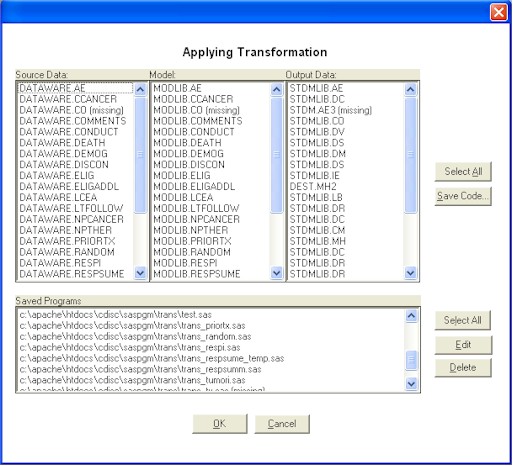
You can choose to select one or
more rows of the source data/model/output data. If the selected
model has a corresponding saved program, the program will be applied.
Transformation through Batch Program
The programs that have been saved are stand-alone SAS program. These programs can be executed independent from the Transdata GUI. You can initiate them from Transdata graphical user interfaces listed in
the "Saved Programs". However, you can also submit them directly
with SAS display manager or in batch mode.
|


